Reorder a shared list by dragging — no handles needed
Last updated August 18, 2026
Most list apps make you find a special grip — a little stack of dots squeezed onto the edge of the row — before anything will move. On anonylist, the whole row is the grip: press and hold anywhere on it, feel it lift, and slide it where it should go. This guide covers the gesture itself, the reason a quick swipe still scrolls instead of grabbing a row, and the bigger moves — dragging whole sections, and moving items between them.
Opens instantly. No account, no email.
Hold for a beat, then drag
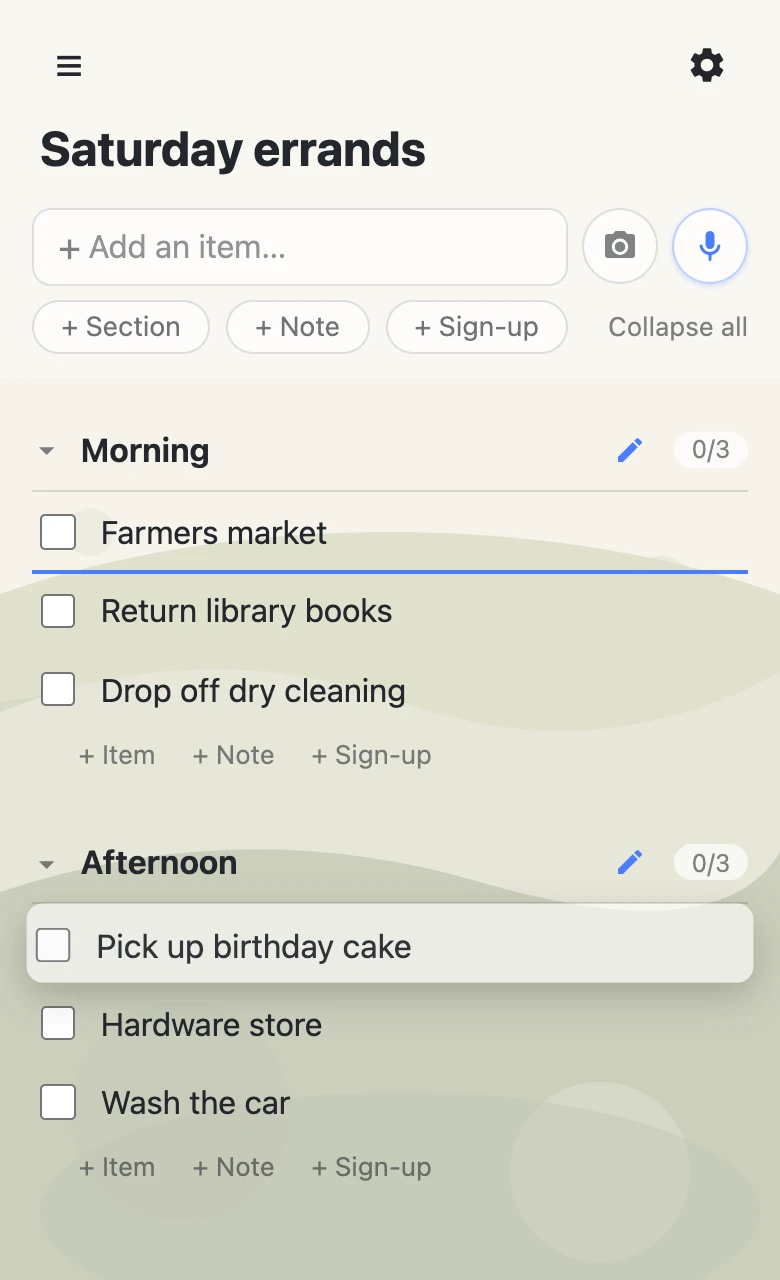
Press a row and keep your finger (or mouse) still for a moment — well under half a second. The row lifts: it raises off the page with a shadow, and on many phones you’ll feel a small tick of vibration. From there, move up or down and a colored line tracks along the list, marking exactly where the row will land. Let go and it drops there — done. No edit mode to enter, no menu, nothing to confirm.
Everything on a list moves this way: items, long-form notes, sign-up slots, and section headers. The same gesture works with a mouse on a laptop as with a thumb on a phone.
Why a quick swipe still scrolls
A row that’s all handle sounds like a row you’d grab every time you tried to scroll. The hold is what prevents that: a drag only begins if you stay put for that first beat. Move more than a few pixels before the hold lands — which is what every flick and swipe does — and the app reads it as a scroll and steps aside. That split is why the gesture never needs handles: holding still is the signal that you mean to move the row, and nothing else triggers it.
Long lists aren’t a problem either. While you’re dragging, push toward the top or bottom edge of the screen and the list scrolls itself past rows that were offscreen, so one drag can carry an item from the bottom of a long list to the very top.
Sections move as one
Section headers drag with the same hold. Grab one and you’re moving the whole group — the header and every item under it travel together, so reshuffling “Morning” above “Afternoon” is one gesture, not a dozen.
Items also cross section lines freely: drop a row just under a header and it lands at the top of that section; drop it between two items and it slots in right there, joining their section. Dropping onto a collapsed section tucks the item in at that section’s end. Rearranging a grown list into sections is exactly this — a few holds and drops, and sections have a guide of their own.
The new order is everyone’s order
An anonylist list is shared and live — the URL is the whole invitation, and everyone on it sees the same rows in the same order. The moment you release a drag, the row moves on every open phone and laptop at once. And because a drag changes only the one row you moved, reordering never tramples what someone else is doing: they can be typing in one row while you carry another one past it.
One exception worth knowing: on an owned list (anonylist pro), the owner can switch off moving for visitors — the hold simply never arms. See a shared checklist where you choose what others can change.
Questions
- Why are there no drag handles on the rows?
- Because the whole row is the handle. Press and hold anywhere on a row — the text, the checkbox, the empty space — and after a brief hold it lifts and is ready to move. Handles exist to separate dragging from tapping; the hold does that job instead, so rows stay clean and the touch target is the entire row.
- How do I scroll the list without accidentally dragging it?
- Just scroll — a drag only starts if you hold still for a moment first. If your finger moves more than a few pixels before the hold lands, the app reads it as a scroll and gets out of the way. In practice you can’t drag by accident: flicks and swipes always scroll.
- Can I drag an item into a different section?
- Yes. Drop a row just under a section’s header and it lands at the top of that section; drop it between two items and it lands there, joining their section. Dropping onto a collapsed section adds the item to that section’s end.
- Do other people see the new order right away?
- Yes — the moment you let go, the row moves for everyone on the list. A drag changes just the one row you moved, so it doesn’t disturb anything anyone else is editing at the same time.