Shared checklists.
No accounts.
Open a link, start a list. Share it with anyone — a partner, a group, a whole trip — and everyone sees the same list update live. No sign-up. No app to install.
Opens instantly. No account, no email.How it works
Start a list
One tap and you're typing. Nothing to set up.
Share the link
Send it to anyone. Whoever opens it can add and check things off.
Stay in sync
Every change appears for everyone, live. Great for a grocery run one-handed in the store.
What you're actually sharing
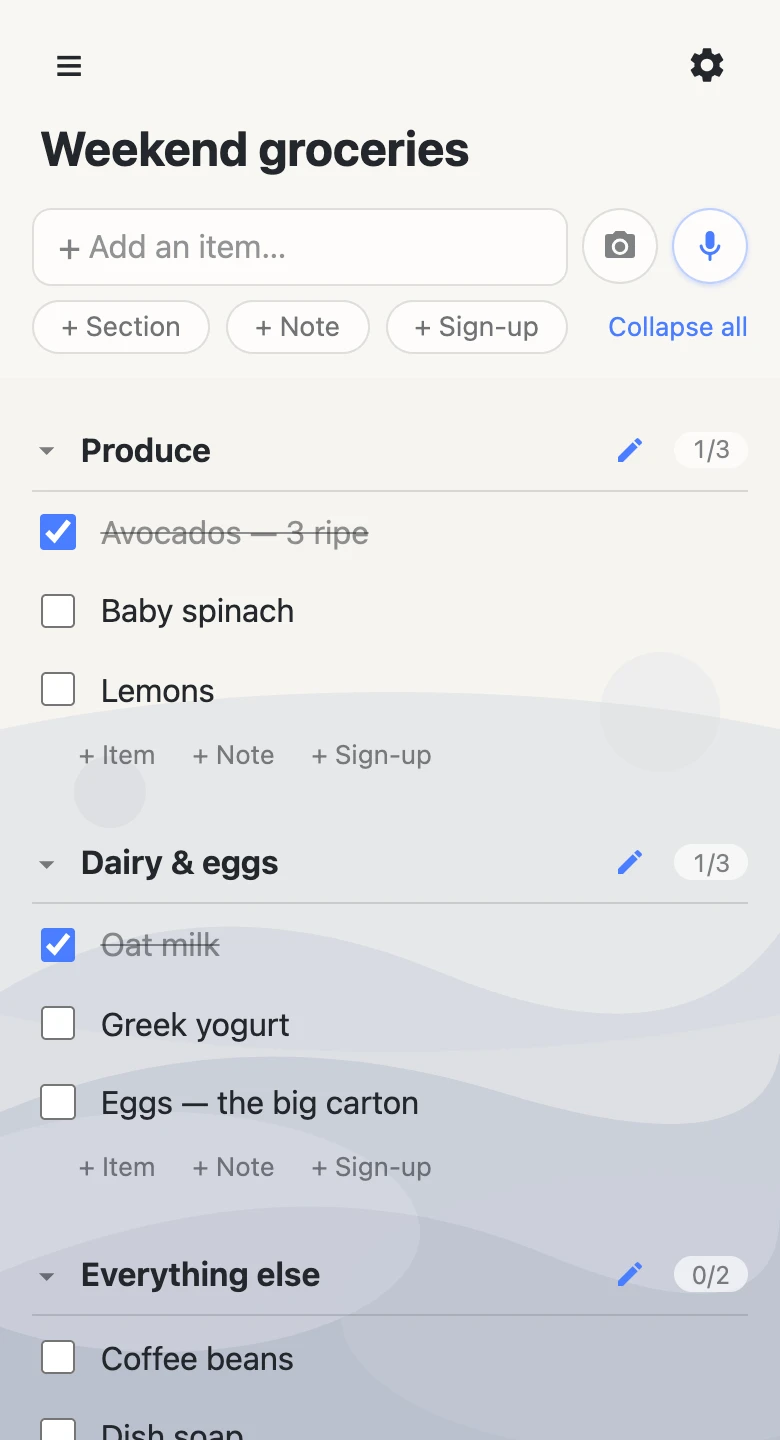
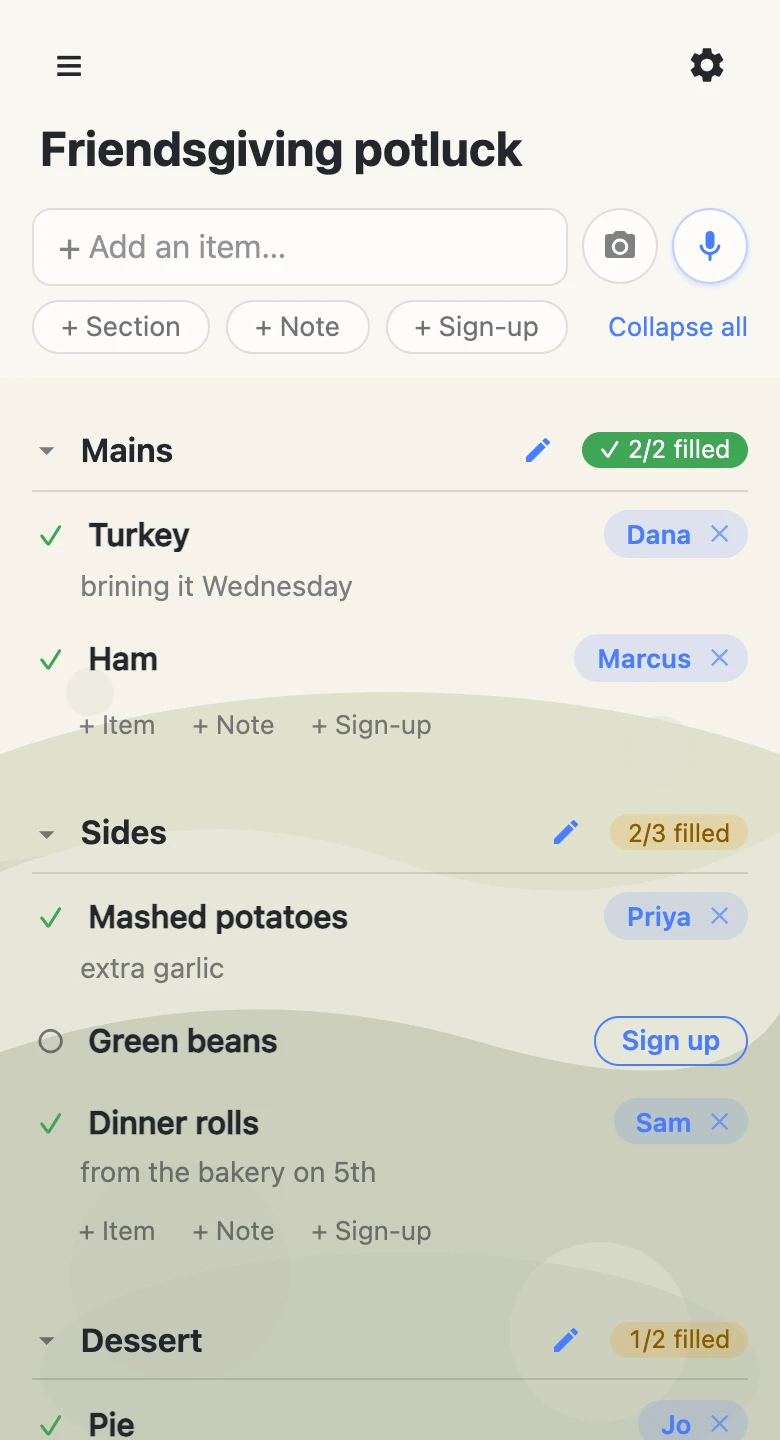
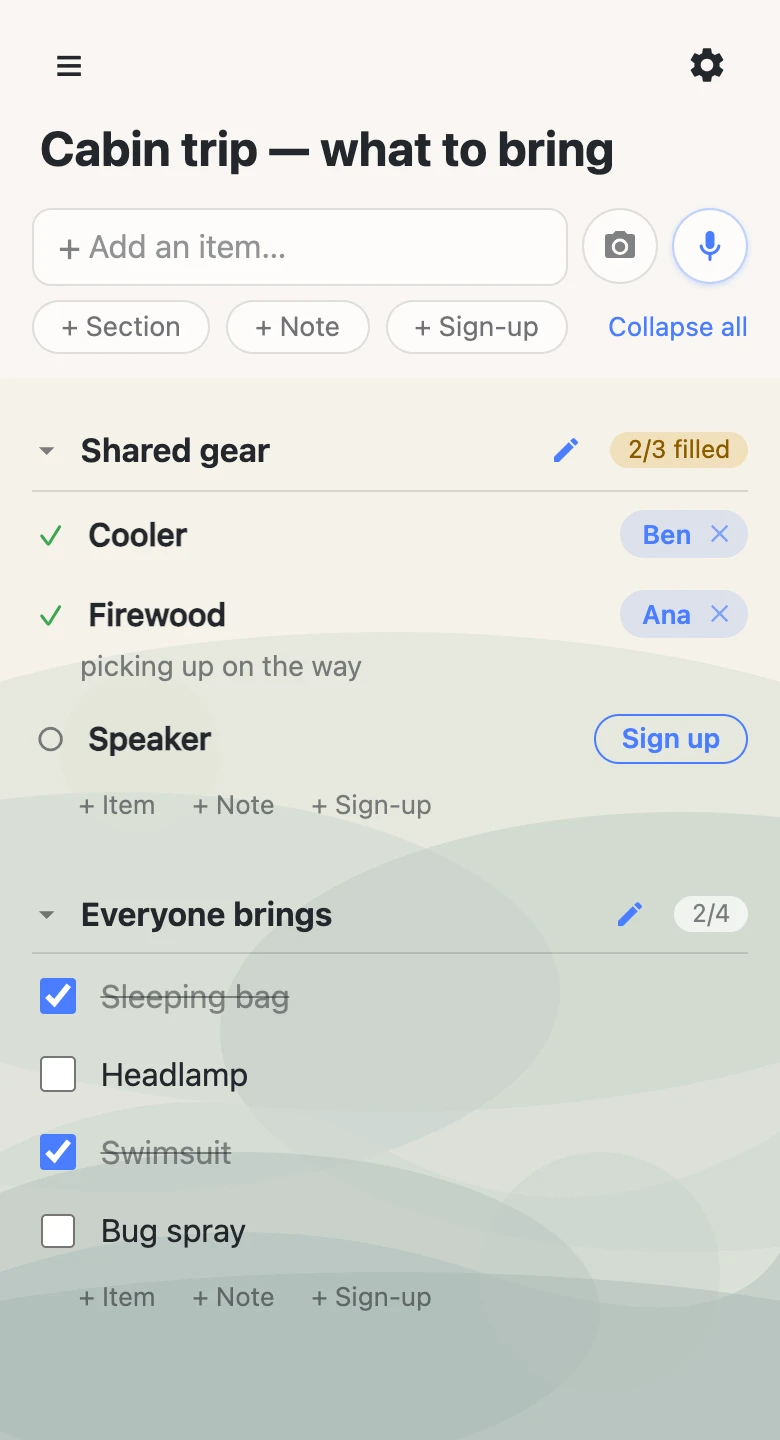
Everything you'd want in a shared checklist
Live for everyone
Real-time sync across every phone and tab with the link open.
No accounts, ever
No sign-up, no passwords to remember. The link is all you need.
Works like an app
Install it to your home screen — it opens full-screen with its own icon.
Sections & drag
Group items into sections and reorder with a press and drag.
Dates, typed not picked
Write “friday 6pm” and tap — rows get date chips, and an agenda view groups the week.
Sign-up sheets
Slots people claim by name — potlucks, snack rotas, volunteer shifts.
Add by voice
Tap the mic and say “add milk and eggs” — the assistant does the rest.
Start from a photo
Snap a handwritten list and review the rows it reads — headings become sections.
Optional password
Add a speed bump for new visitors when you want one.
ChatGPT & Claude
Ask the assistant you already use for a list and get the link back — then send that link to anyone, who still needs no account of their own. Setting it up takes about a minute: in ChatGPT or in Claude.
Need a list with a grown-up in charge? pro
Everything above stays free, forever. anonylist pro adds lists you own — for the sheets that need an owner, not a free-for-all.
- Choose what visitors can change — let them check things off and claim sign-up slots, but not rewrite the list.
- Add admins by email — co-run it with a spouse or co-leader. Admins don’t pay.
- An address people remember — claim /l/troop-12 instead of a random link. Permanent, and yours.
- Put a list back — save a list’s shape, let it get messy all week, then reset it in one tap. Same list, same link.
Made for the lists you actually share
Grocery lists with a roommate. Packing lists for a trip. Chores for the house. A shopping list for the weekend, a to-do list for a project, a checklist for an event — anything two or more people need to see at once.
Lists for the holidays
Thanksgiving, Christmas and New Year run on lists the whole family needs to see. Start one, send the link to the group chat, and everyone adds to it from their own phone — nobody signs up.
Thanksgiving potluck
Each dish is a slot a relative claims by name, so there are no five pies and no rolls.
Friendsgiving
Who’s hosting, who brings what, and the dish nobody has claimed yet — one link in the group chat.
Christmas gift lists
Everyone’s ideas on one list, ticked off the moment a gift is bought, so nothing gets bought twice.
Secret Santa & white elephant
Who’s in, the budget, the date and everyone’s wish list, without a sign-up form.
Cookie exchange
Who’s baking which cookie and how many dozen, so nobody else turns up with snickerdoodles.
Holiday parties
Food, drinks, setup and cleanup as slots, for the office, the club or the street.
Angel trees & toy drives
Every need a donor or volunteer can claim, and a count of what’s still open.
Holiday to-dos
Decorating, baking, cards and the menu, split up and ticked off by the whole household.
New Year’s resolutions
Your resolutions where you’ll see them, ticked off as they happen, shared with a friend who’ll cheer.
Questions
Do I need an account?
No. There is no sign-up — open a link and you have a list.
Is it free?
Yes, completely. No account, no card.
Can I use it with ChatGPT or Claude?
Yes — connect anonylist to either and ask for a list in the conversation you’re already having. It hands back a link anyone can open, and the people you send it to still need nothing. Set it up in ChatGPT or in Claude.
Can other people edit my list?
Anyone with the link can view and edit it, and everyone sees changes live. There is no owner — presence in a list is the permission.
How private is a list?
A list is only reachable by its unguessable link. You can add a password as a speed bump for new visitors, but it isn't encryption — the server can read list contents, so don't store anything sensitive.
Do lists expire?
Lists may be removed after long inactivity. For anything you want to keep, copy the link somewhere safe.
Can I use it on my phone?
Yes. anonylist runs in any modern mobile browser, and you can install it to your home screen to open full-screen like a native app — no app store, no download.
Can a list have an owner?
Yes — with anonylist pro, a list can be owned: the owner and their admins choose exactly what visitors can change, and deletes become undoable. Ordinary lists stay ownerless and free.
How many people can share one list?
As many as you want. Everyone who opens the link is in the same list at once, and every change syncs live for all of them.
Does it work for holiday lists?
Yes — Thanksgiving potlucks, Friendsgiving, family Christmas lists, Secret Santa, cookie exchanges and New Year’s resolutions are all ordinary lists. Start one, send the link to the family chat, and everyone adds and claims from their own phone. Everyone with the link sees every claim, so keep surprise gifts on a list the recipient doesn’t have.
Can I organize a list into sections?
Yes. Group items into sections and drag to reorder — moving a section brings its items along. Collapsing a section is per-device, so tidying your own view never changes anyone else's.