A free meal plan and grocery list that stay in step
Last updated October 20, 2026
Most weeks come apart in the same place: the plan and the shopping end up on one list. “Tacos Tuesday” sits three rows above “limes”, and by Thursday nobody can tell which rows are decisions and which are things to buy. They are two different jobs read in two different places — one at the kitchen table, one in an aisle with a cart in front of you. So give them a list each, one link each, and have the two point at one another. Both are free, both open on any phone, and nobody makes an account.
Opens instantly. No account, no email.
The plan list: one row per night
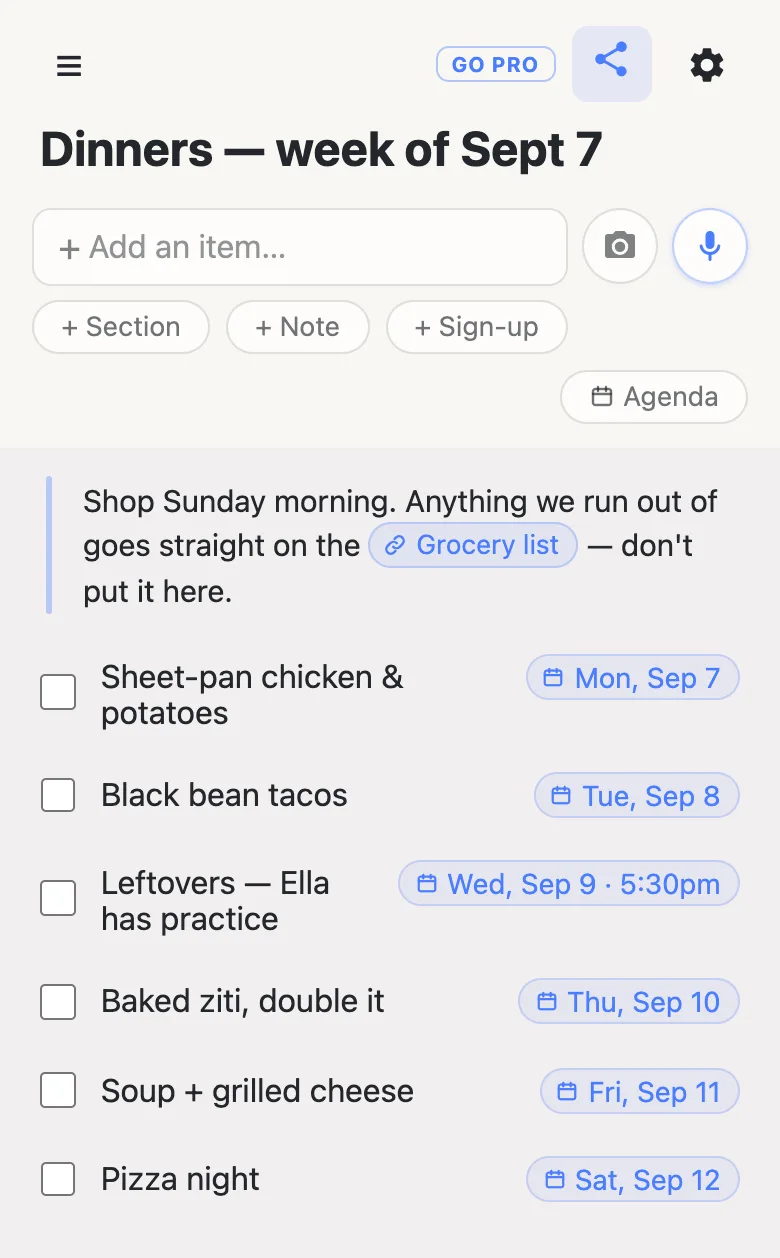
Start a list, name it after the week, and put one row on it for each evening. You type the day rather than picking it: write “monday”, or “wednesday 5:30pm” if that is the night somebody eats early, and a chip offers you the date — tap it and the date pins to the row’s right edge, ignore it and your words stay ordinary text. Nothing is ever dated behind your back.
Once anything on the list carries a date an Agenda button appears in the header, which regroups the same rows under Today, Tomorrow and the days after. It is the same list, read as a week instead of a stack — handy on a Wednesday morning when the only question is what is happening tonight.
The grocery list: sectioned the way you actually shop
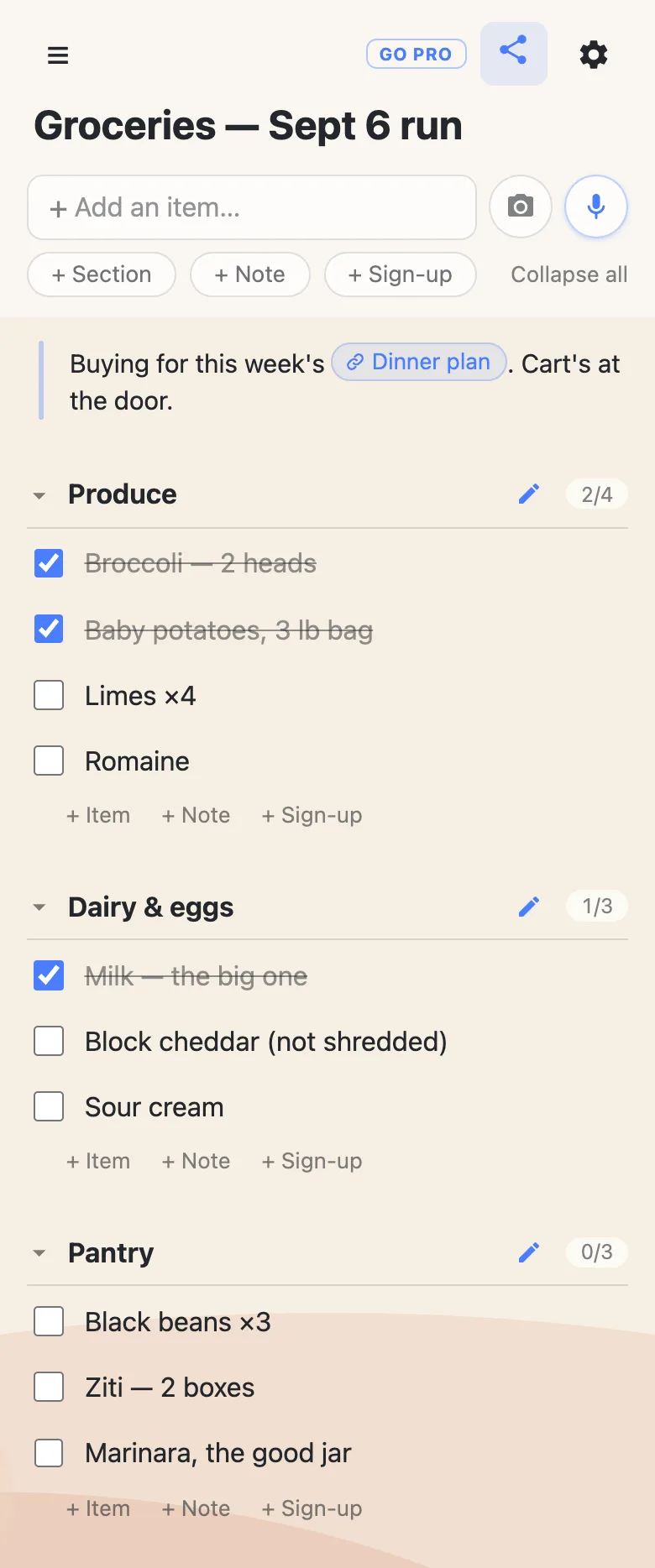
The shopping list is a different shape, so give it sections that match the store rather than the week: Produce, Dairy & eggs, Pantry, or one per shop if the run takes two. Each section header carries its own counter — 2/4, 0/3 — so you can see from the top of the list which aisles are done.
Checking a row off leaves it visible with a line through it rather than removing it, which is exactly what you want mid-shop: the row still says “block cheddar, not shredded” when you get to the till and start second-guessing yourself. Unchecking never asks you anything, so a wrong tap costs one more tap.
Point the two lists at each other
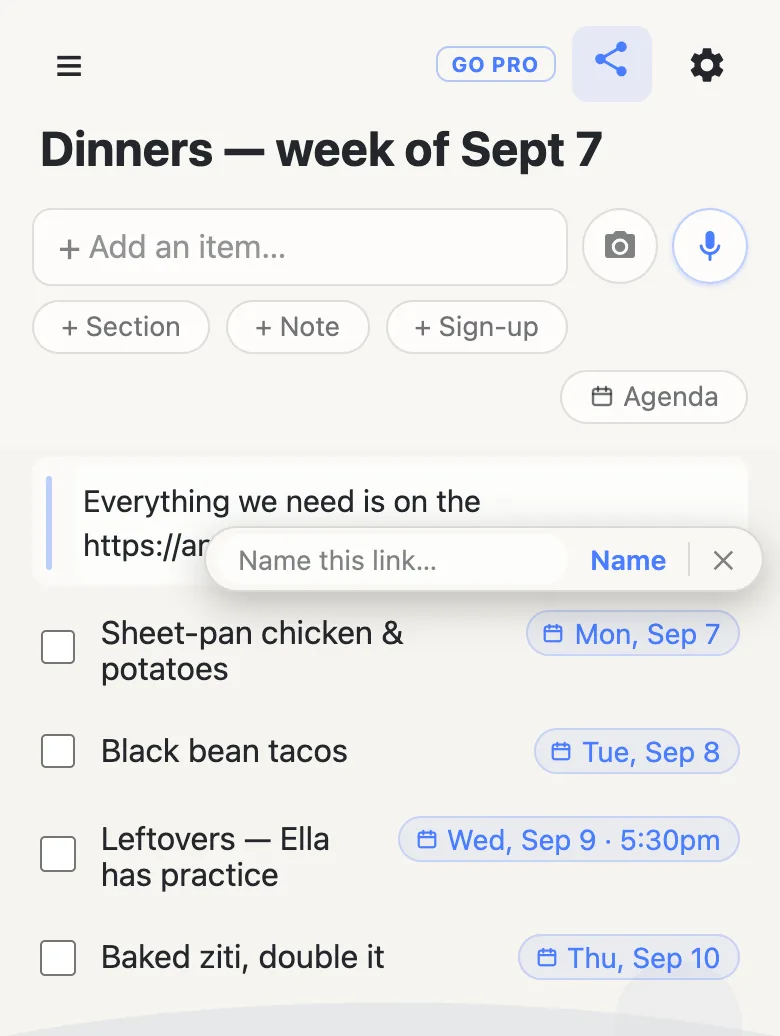
This is the part that makes it one system instead of two lists you keep losing. Open the grocery list and tap the share button in the header — on a phone that opens the share sheet, on a desktop it copies the link. Go back to the plan, add a note with + Note, and paste. A small Name this link… offer appears under what you pasted: type “Grocery list”, and the forty characters of URL collapse into a chip that says what it is. Then do the same in the other direction.
Opening one from the other takes two taps: the first selects the row, the second follows the chip. That order is deliberate — a thumb landing near a link on a list you are only reading never launches a tab you did not ask for.
What the week actually looks like
Whoever notices the milk is low opens the grocery list and adds it, from wherever they are. The person at the shop ticks rows as they go into the cart and they strike through on every other phone at the same moment — no refresh, no send button, nothing to install at either end. If two of you are on a list at once a small 2 here chip appears in the header and names who; while someone is typing in a row their name sits at the end of it and the text greys out, so you are watching a sentence get written rather than fighting over it.
Sunday evening, the plan gets rewritten and the grocery list gets refilled from it. Same two links, same two lists — which matters, because everyone in the house already has them.
Starting the next week
There is no duplicate-this-list button, and mostly you do not want one: keeping the same pair of links is what stops you re-sending them every Sunday. Uncheck what you bought (unchecking never asks), retype the dinners, and you are ready.
If a week works particularly well, the gear icon has Export & import, which saves the whole list as a readable JSON file you can import back later. Import appends and shows you a count to confirm first, so the worst case is a block to delete rather than a list you lost. There is an overwrite box beside it that replaces every row for everyone on the list — useful for resetting a standing shopping list in place, and the one thing here that no undo covers, so it asks before it arms.
Keep the lists running smoothly
- Keep it to what it’s for. Meals and groceries — the household business that belongs on a fridge door.
- Fold, don’t delete. Tick things off rather than deleting them, and last week’s list is a head start on this week’s.
- Keep the link handy. Your device remembers both links in the ☰ drawer, and its Manage lists panel copies them all out in one go; export a copy from the gear menu whenever you want a file.
Questions
- Why not keep the meal plan and the shopping on one list?
- You can, and for a light week one list with a Dinners section and a Groceries section is less to hold. It starts to hurt when the shopping gets long: you scroll past six dinners to reach the aisle you’re standing in, and a tick means two different things — “decided” in one half, “in the cart” in the other. Two lists keep each one short enough to read at arm’s length, and the link chip makes the trip between them one tap.
- How do we keep both links handy on our phones?
- Every list you open is remembered in the ☰ drawer on that device, newest first, so the plan and the shopping sit two taps apart. If one gets opened daily, add it to your phone’s home screen from the browser’s share menu for a one-tap icon. Worth copying both links into a message to yourself as well: there is no account behind them, so the links are the only way back.
- Can the kids add to the grocery list without touching the plan?
- Yes — hand out the grocery link and let whoever notices the milk is low put it on. Just be straight about what the link chip is: it points at the other list, so whoever holds one can reach the other. That is fine inside a household and worth a thought before the link goes into a wider group chat.
- Does the grocery list work in a store with no signal?
- It needs a connection. Each tick is saved to the server as you make it, so a dead aisle halfway round a big shop can leave one that never landed, and when the phone gets signal back the list takes the server’s copy of what is there. In practice: if the bars disappear, glance over the rows again once you are outside.